
Have you ever searched Google for a question and noticed that some websites appear at the top while others stay hidden on later pages?
This happens because of Search Engine Optimization, also known as SEO. One of the most important and fully controllable parts of SEO is
what you do directly on your website. This is called on-page SEO.
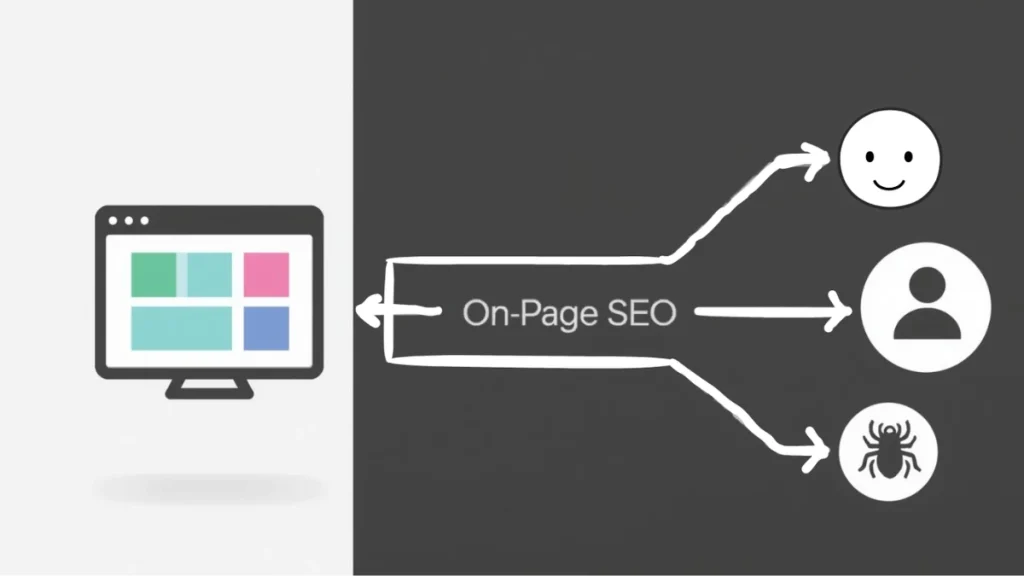
Think of your webpage as a physical store. On-page SEO covers everything that makes this store easy to find, simple to navigate, and clear to understand. It helps both visitors and search engines understand what your page offers and why it matters.
In this guide, you will learn what on-page SEO is, why it matters, and how to apply it step by step. The explanations stay simple and practical.
So you can start improving your pages immediately.
What Is On-Page SEO?
On-page SEO is the process of optimizing individual web pages so they rank higher in search engines and attract relevant traffic. It focuses on improving content, structure, and technical elements that help search engines understand your page and help users find value quickly.
Why Is On-Page SEO Important?
On-page SEO improves more than rankings. It directly affects how users experience your website.
1. Helps Search Engines Understand Your Content
Search engines rely on signals to understand what a page is about. On-page SEO provides those signals through content, titles, headings, and
structure. Without clear optimization, search engines may misinterpret your page or rank it for the wrong queries.
2. Improves User Experience and Engagement
Optimized pages are easier to read and navigate. When users find answers quickly, they stay longer and interact more. This behavior sends
positive signals to search engines and increases the chances of conversions.
3. Builds Trust and Credibility
A clear layout, accurate information, and logical structure make your website feel reliable. Users are more likely to trust a site that looks
professional and functions smoothly.
4. Gives You Full Control
You cannot control who links to your site, but you control your content, structure, and optimization choices. On-page SEO allows you to make improvements at any time without waiting for external factors.
What is on page SEO example?
Here is an on-page SEO example to help you understand better.
For example, for “electrician Fort Lauderdale,” optimize the title tag as “Best Electrician Fort Lauderdale | 24/7 Repairs,” use an H1 like “Electrician Services in Fort Lauderdale,” and include a keyword-rich intro of up to 100 words. Use related keywords in H2/H3 headings, short paragraphs, lists, and internal links for readability.
The Essential On-Page SEO Checklist for Beginners
Use this checklist to optimize any page on your website.
1. Create Simple and SEO-Friendly URLs
Your URL should describe the page clearly.
Poor example:
- yoursite.com/blog?id=123&cat=5
Good example:
- yoursite.com/beginner-guide-on-page-seo
Use lowercase letters. Separate words with hyphens. Keep the URL short and descriptive.
2. Write Content That Is Easy to Read and Scan
Most users skim content before reading it fully. Improve readability by using short paragraphs, clear spacing, and structured formatting.
1. Use short sentences
2. Break long text into sections
3. Use lists where helpful
4. Write in a conversational tone
This keeps users engaged and reduces bounce rate.
3. Content and Keywords Focused on User Intent
Your goal is to answer the user’s question completely. Use keywords naturally and avoid repetition.
Poor example:
- This on-page SEO guide is the best on-page SEO tutorial for on-page SEO beginners.
Better example:
- This guide explains on-page SEO in simple steps so beginners can optimize content for users and search engines.
Focus on intent first. Keywords should support clarity, not replace it.
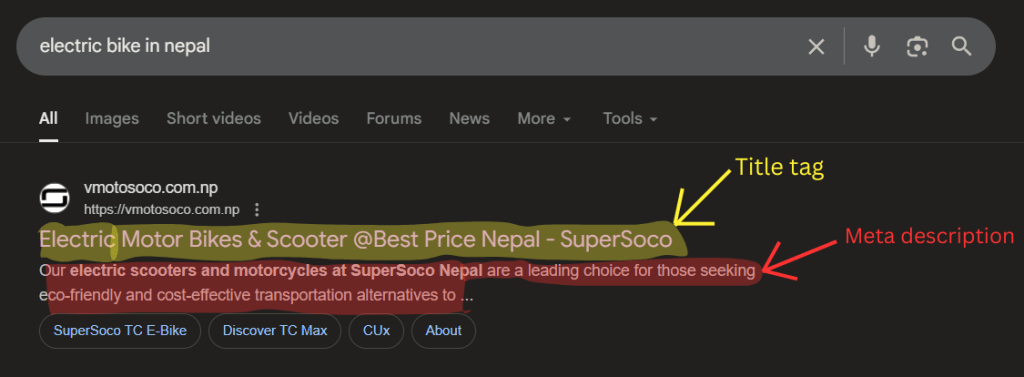
4. Write Page Titles and Meta Descriptions That Earn Clicks
Your title and meta description appear in search results. They influence whether users click your page.
Title formula:
- Primary keyword – Supporting keyword | brand name
Example:
- On-Page SEO Guide for Beginners | YourSite
Keep titles under 60 characters. Keep meta descriptions under 156 characters. Write them to clearly explain the benefit of clicking.
Use Headers to Create a Clear Structure. Headers organize your content and help users scan.
1. H1 is the main page topic and should appear once
2. H2 divides major sections
3. H3 supports subtopics
This structure also helps search engines understand content hierarchy.
5. Optimize Images with Alt Text and File Names
Search engines cannot interpret images without text descriptions. Alt text explains what an image shows.
Example:
- alt text equals person optimizing a website on a laptop
Rename image files before uploading. Avoid keyword stuffing. Keep descriptions natural and relevant.
6. Use Internal Links to Guide Users and Search Engines
Internal links are links from one page on your site to another. They help users discover more content and tell Google which pages are most important.
Goal: Create a logical navigation path. Link from a general “Pillar” page (e.g., “Complete Guide to Coffee”) to specific “Cluster” pages (e.g., “How to Grind Coffee Beans”).
7. Ensure Mobile Friendliness and Fast Loading Speed
Most users browse on mobile devices. Search engines prioritize mobile-friendly pages.
Test your site using Google Mobile Friendly Test and PageSpeed Insights. Improve load time to reduce user frustration and ranking loss.
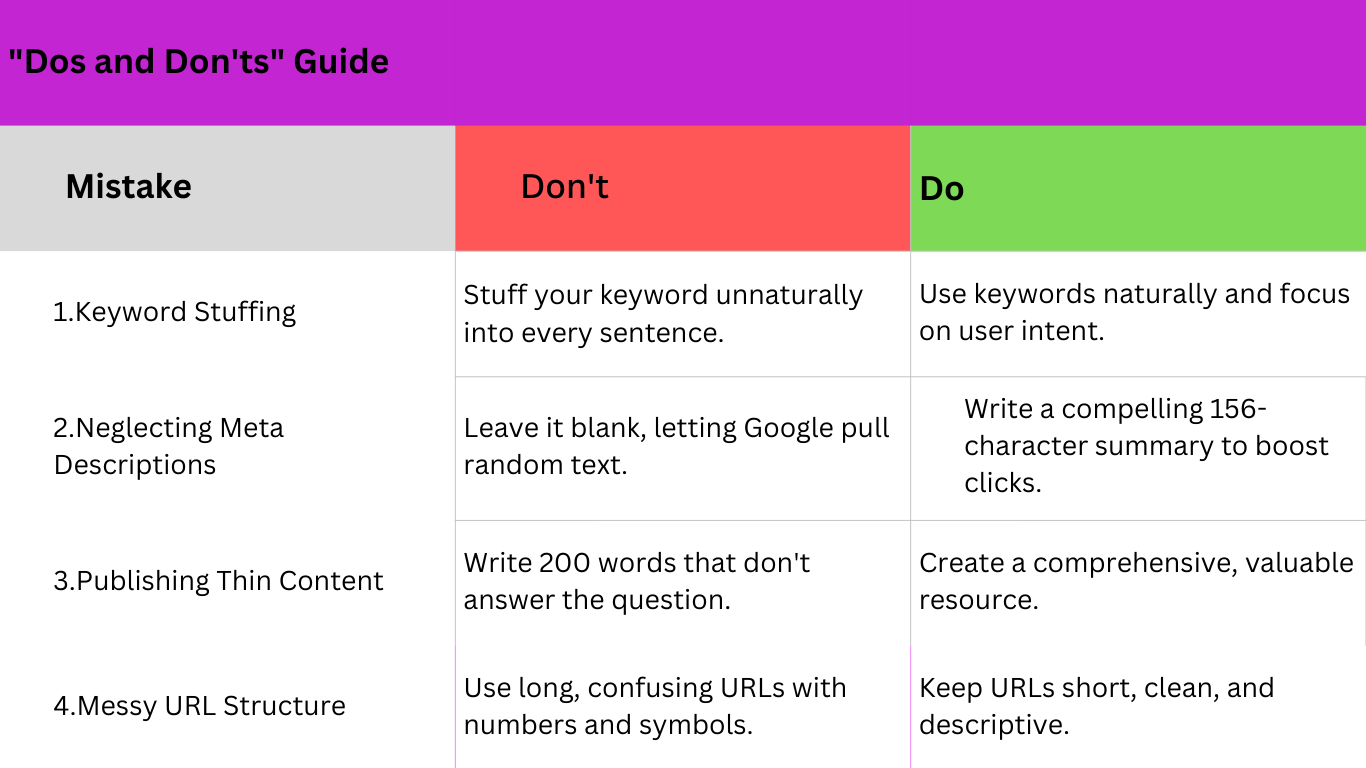
Common On-Page SEO Mistakes Beginners Make
Learn from others’ errors! Here’s a quick “Dos and Don’ts” guide. Avoiding these mistakes improves both rankings and usability.
A Simple On-Page SEO Action Plan
Start small. Optimize one page today. Small improvements compound over time.
1. Audit: Review one key page like a first-time visitor.
2. Title & Meta Description: Write clear, keyword-focused copy that makes users click.
3. Headers: Keep one H1. Structure your H2s and H3s logically.
4. Alt Text: Add short, descriptive alt text to your top three images.
5. Internal Links: Add links to one or two related pages on your site.
On-Page SEO Tools
There are way too many tools for on-page SEO, and sometimes beginners get confused about which to pick.
Here, my top tools include Ahrefs for content planning, Semrush for audits, Google Search Console for performance insights, and Screaming Frog for site crawls. Free options like Google Lighthouse / PageSpeedInsights help with speed and mobile checks.
Conclusion
On-page SEO is an ongoing process that improves how your website serves users and how search engines understand your content.
Each optimized element strengthens visibility, usability, and trust.
Start with one page. Apply one improvement at a time. Consistent effort leads to long-term growth in rankings and traffic.