
You open your laptop, ready to write. Ideas are there, but the page stays blank. Doubt arises. Is the grammar right? Will Google rank it? Is the writing good enough?
You are not alone. Every writer feels this, even experienced ones. The difference is simple. They use tools.
Content writing tools help you write faster and with clarity. They correct grammar, enhance structure, and optimize SEO. They guide you from the first idea to the final draft.
This guide stays simple and beginner-friendly. You do not need all 17 tools for content writing. You only need one or two that fit your goals.
These tools support your writing, not replace it. You control the ideas and voice. The tools help you improve every draft with confidence.
Tips to keep in mind.
• Even professional writers use content writing tools every day.
• Use tools to learn, not to depend on them.
• Focus on clarity, readability, and search intent.
• Start small and add more tools as your skills grow.
You are not behind. You are starting with the right support.
Why You Need Content Writing Tools as a Beginner in 2026
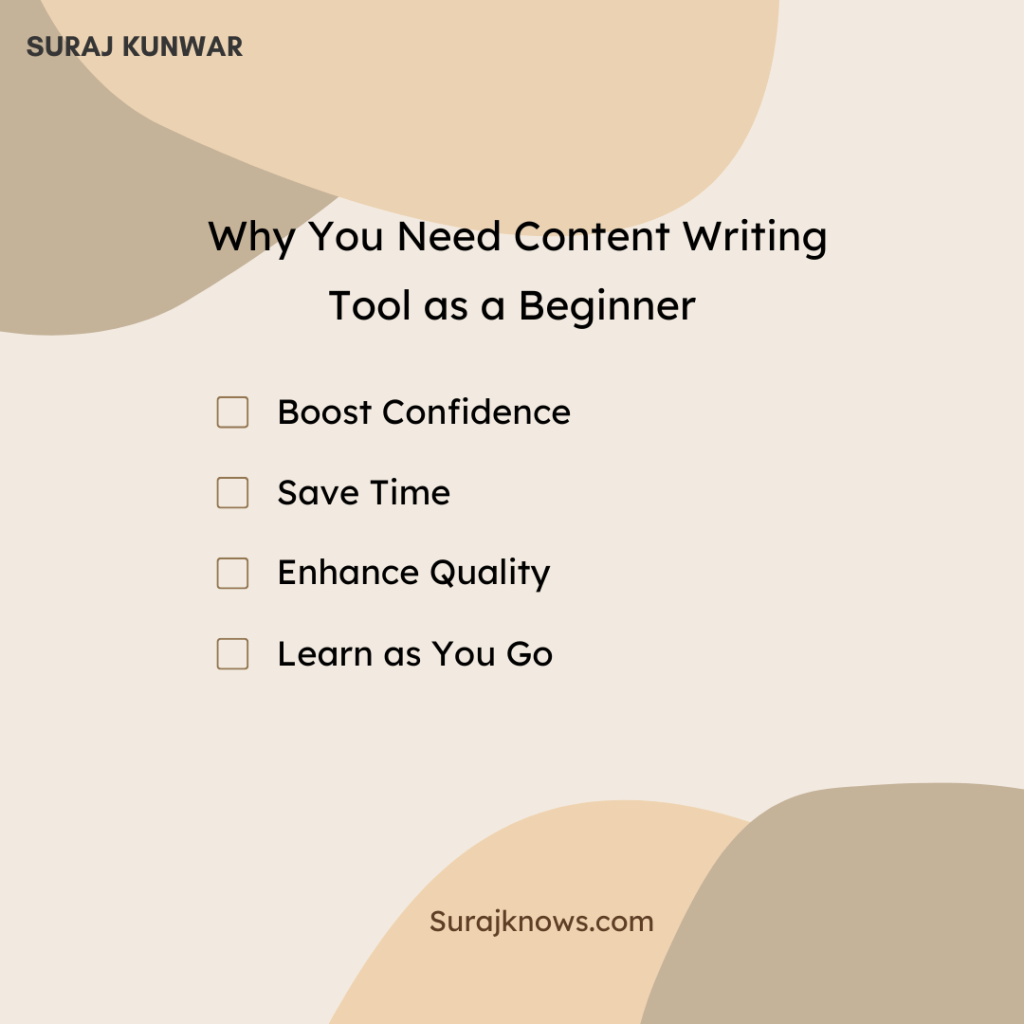
Before we dive into the list, let’s talk about the “why.” Why should you, as a beginner, bother with these tools? It boils down to four simple but powerful benefits that tackle your biggest fears head-on.
-
- Boost Confidence: Tools act as a safety net, catching embarrassing typos and grammar mistakes before you hit “publish.” This means you can share your work without that sinking feeling of discovering an error after it’s live.
-
- Save Time: Writing involves more than just typing. It’s editing, researching, and formatting. Tools automate these tedious tasks, freeing you up to do what matters most: sharing your ideas.
-
- Enhance Quality: These tools help you transform your raw ideas into clear, engaging, and structurally sound content. They’ll help you simplify complex sentences and make your writing more enjoyable to read.
-
- Learn as You Go: This is the most underrated benefit. By seeing the suggestions and corrections these tools make, you’ll intuitively learn the rules of good writing. Over time, you’ll naturally make fewer of the same mistakes.
How to Choose the Right Writing Tools for Your Needs
With so many tools available, it is easy to sign up for too many and use none. Avoid that. You do not need all 17 tools. Most writers only need two or three.
Start by identifying your biggest challenge. Ask yourself what is stopping you from writing better content right now. Choose one category that solves that problem and pick one tool to begin.
Use this simple flowchart to guide your initial choice:
Keep it simple. One problem. One tool. Start writing.
Content quality decides rankings, conversions, and trust. The right tools save time and improve results. This curated list covers the best content writing tools for 2026, grouped by real writing tasks. Use it to build faster workflows and publish content that performs.
Category 1: Writing and Editing Tools
These are essentials. Even if you ignore every other category, start here. Every writer needs an editing assistant.
1. Google Docs
This tool is reliable and essential. Both offer spell check, grammar hints, readability support, and thesaurus access. Google Docs stands out for real-time collaboration.
Tip: Right-click highlighted words to understand grammar patterns as you write.
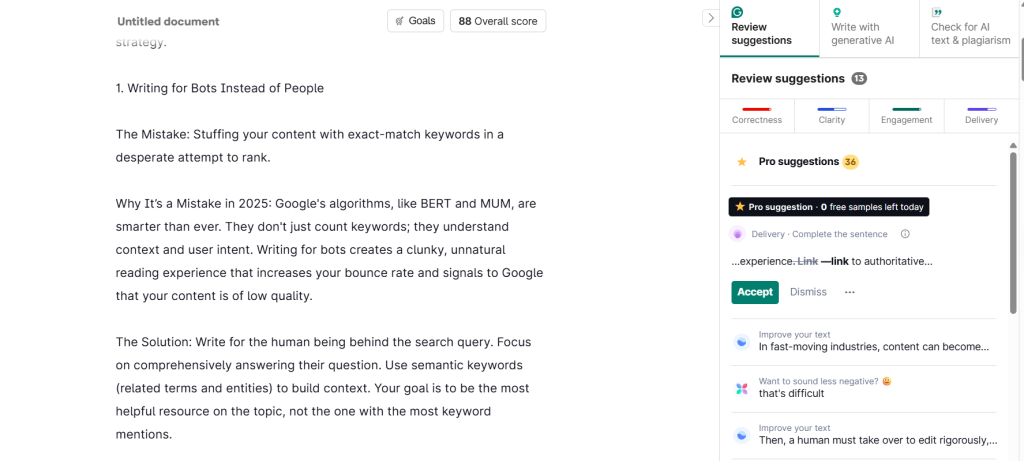
2. Grammarly
Advanced grammar, tone, and clarity checks across Docs, Word, email, and browsers. Also includes plagiarism detection.
Tip: Start with the free version. It’s a massive upgrade over basic spellcheck and is more than enough for most beginners.
3. QuillBot
It’s an AI-powered paraphrasing tool. Rewrites sentences while keeping meaning, simplifies complex text, and avoids repetition. Includes a grammar checker and a summarizer.
Tip: Use Standard or Fluency mode for natural results.
4. Hemingway Editor
It highlights complex sentences, adverbs, and passive voice. Helps make writing clear and online-ready.
Tip: Paste your draft into the free app to improve readability. Aim for grades 6-8 for blogs.
5. ProWritingAid
It provides in-depth reports on style, overused words, clichés, and repetition.
Tip: Integrates with Google Docs. Try the free version for detailed feedback.
3. Category 2: Idea Generation & Planning Tools
These tools help you decide what to write and when.
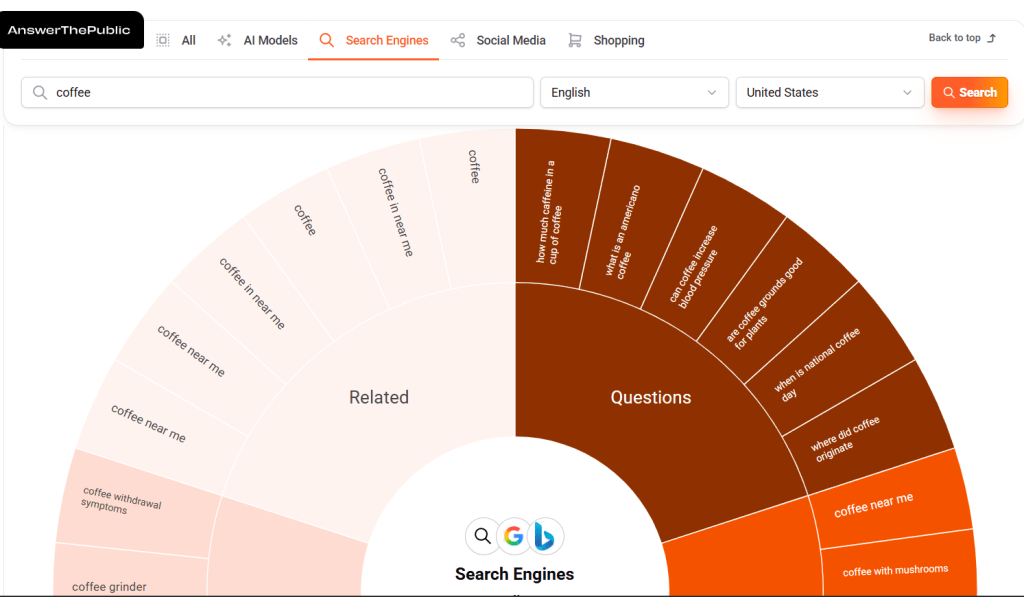
6. AnswerThePublic
It shows real questions people search for around a topic. Ideal for blog ideas and FAQs. It’s a goldmine for blog post ideas and FAQ sections. Type in a keyword (e.g., “veganism”), and it gives you a “search cloud” of questions (e.g., “how to be vegan” and “is veganism healthy?”).
Tip: Use broad keywords for wider insights. Single-word topics (e.g., ‘gardening’) for the most diverse and surprising ideas.
7. BuzzSumo
It shows the most shared content on social media. Helps you see what works.
Tip: Use the free version to search for a topic and see the top-performing headlines. This teaches you what resonates with people.
8. Notion
All-in-one workspace for notes, plans, and tasks. Ideal for organizing research and content calendars.
Tip: Start with a simple table view with columns for “Topic,” “Status,” and “Publish Date.”
Category 3: SEO and Readability Tools
You can write the best article in the world, but it’s useless if no one can find it. These tools ensure your content is optimized for search engines like Google.
9. Frase
It’s an AI tool that creates SEO-optimized content briefs by analyzing top-ranking pages.
It automatically analyzes the top Google results for your keyword and creates a “content brief” showing the common questions and topics you need to cover to compete.
Tip: Use it to find common questions to answer in your article.
10. Surfer SEO
It’s a data-driven tool that gives you a “recipe” for a top-ranking article.
It tells you the ideal word count, keywords to include, and heading structure based on what’s already ranking. It gives you a clear target to aim for.
Tip: Use it as a guide, not a rule. Write for humans first.
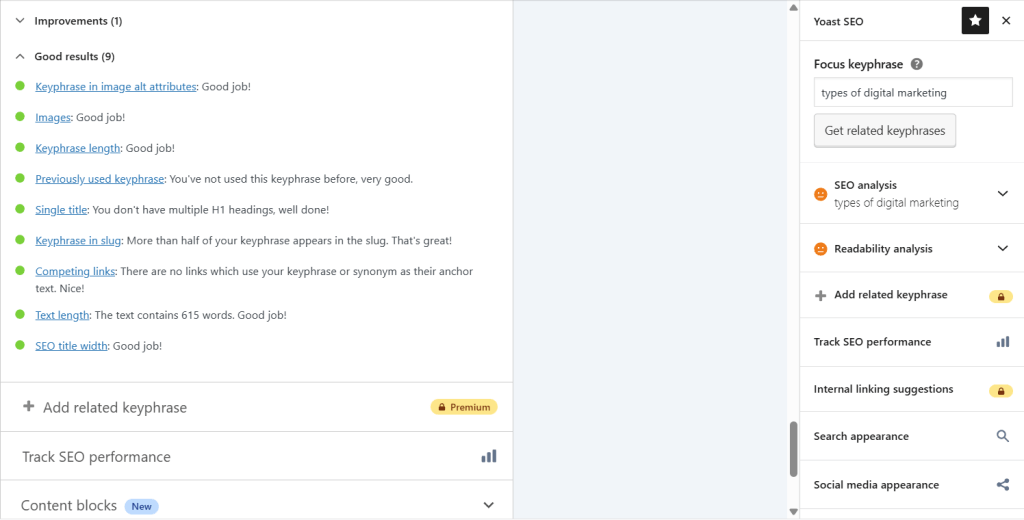
11. Yoast SEO (WordPress Plugin)
It’s the essential, beginner-friendly SEO plugin for anyone using WordPress.
It gives you simple red, yellow, and green lights for key SEO factors right inside your WordPress editor. It’s like a checklist that guides you step-by-step.
Tip: Focus on turning bullets from red to green before publishing.
12. Clearscope
It’s a premium tool focused on comprehensive coverage of a topic.
It’s for when you’re ready to get serious. It helps you create authoritative content by showing you the exact terms and concepts your top competitors are using.
Tip: Use when targeting competitive keywords after mastering other tools.
Category 4: AI Writing Assistants
AI helps brainstorm and draft, but always add your voice and fact-check.
13. Jasper
It provides a marketing-focused AI template for headlines, intros, and product descriptions.
Tip: Use “Explain It to a 5th Grader” to simplify concepts.
14. Copy.ai
It’s a strong, user-friendly alternative to Jasper with a great free plan.
Its vast library of templates is perfect for experimenting. Find a template, plug in your info, and see what it creates.
Tip: Try “Blog Wizard” or “Idea Brainstormer” to beat writer’s block.
15. Writesonic
It’s an AI tool known for generating long-form, SEO-optimized articles.
You can provide a single keyword, and it will generate a comprehensive article outline or even a complete draft, complete with headings and relevant keywords.
Tip: Fact-check and heavily edit AI content. Use for drafts and structure.
16. ChatGPT
It’s a versatile assistant for brainstorming, creating outlines, summarizing lengthy texts, and generating new angles on a topic.
Tip: Be specific with prompts for best results. Instead of “write about dogs,” try “list 10 blog post ideas for new dog owners focusing on common mistakes.”
Category 5: All-in-One Writing Platforms
Best for complex projects requiring a single hub.
17. Scrivener
It’s a powerful content-management tool for long-form writers (novelists, researchers, and scriptwriters).
It helps you organize research, notes, and chapters all in one place. Its “corkboard” view lets you visually rearrange sections of your work.
Tip: Use the corkboard view to rearrange sections. A free trial is useful for e-books or reports.
Your First Steps to Better Writing
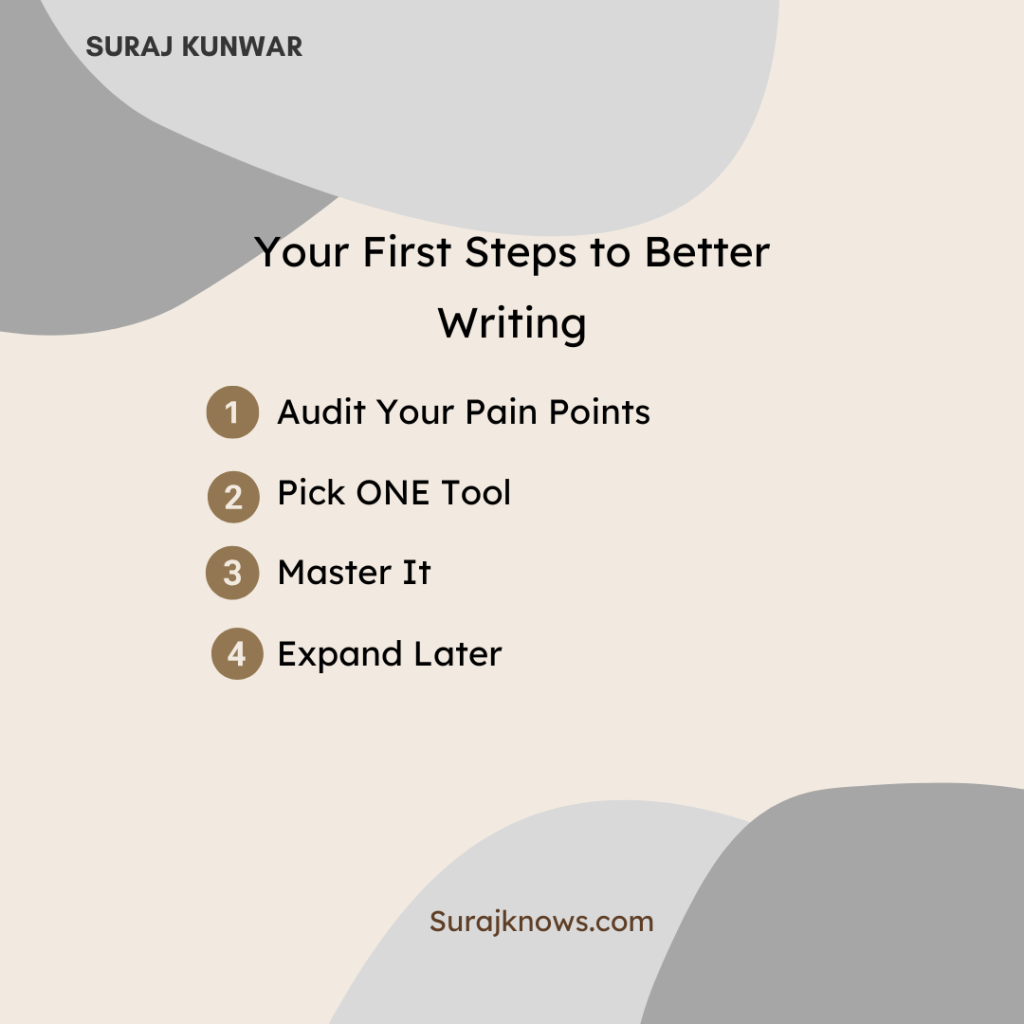
Let’s bring this all together. Here is your simple, actionable plan to avoid overwhelm and start improving your writing today.
-
- Audit Your Pain Points: Identify your struggle. Grammar, writer’s block, or SEO?
-
- Pick ONE Tool: Focus on your #1 pain point. For grammar, try Grammarly; for ideas, AnswerThePublic.
-
- Master It: Use that tool for 2-3 weeks, explore its features, and integrate it into your routine.
-
- Then, Expand: Once comfortable, add a second tool from another category, such as Yoast SEO after Grammarly.
Conclusion
Starting your content writing journey in 2026 does not have to be intimidating. Using the right tools is a smart and modern way to write. It reduces frustration, improves quality, and most importantly, accelerates your learning.
These tools act as training wheels, co-pilots, and safety nets. They help you create content you can be proud of from the very beginning. You have the ideas. Now you have the tools to help them shine.
“The role of a writer is not to say what we all can say, but what we are unable to say.” Anaïs Nin
Let these tools help you say it clearly and confidently.
FAQs
1. What are the best content writing tools for 2026?
Grammarly, ChatGPT, Surfer SEO, and Google Docs remain top choices based on usability and results.
2. Are AI writing tools safe for SEO?
Yes, if you edit, fact-check, and add original insights.
3. Do free tools work for beginners?
Yes. Google Docs, Grammarly Free, and AnswerThePublic offer strong value.